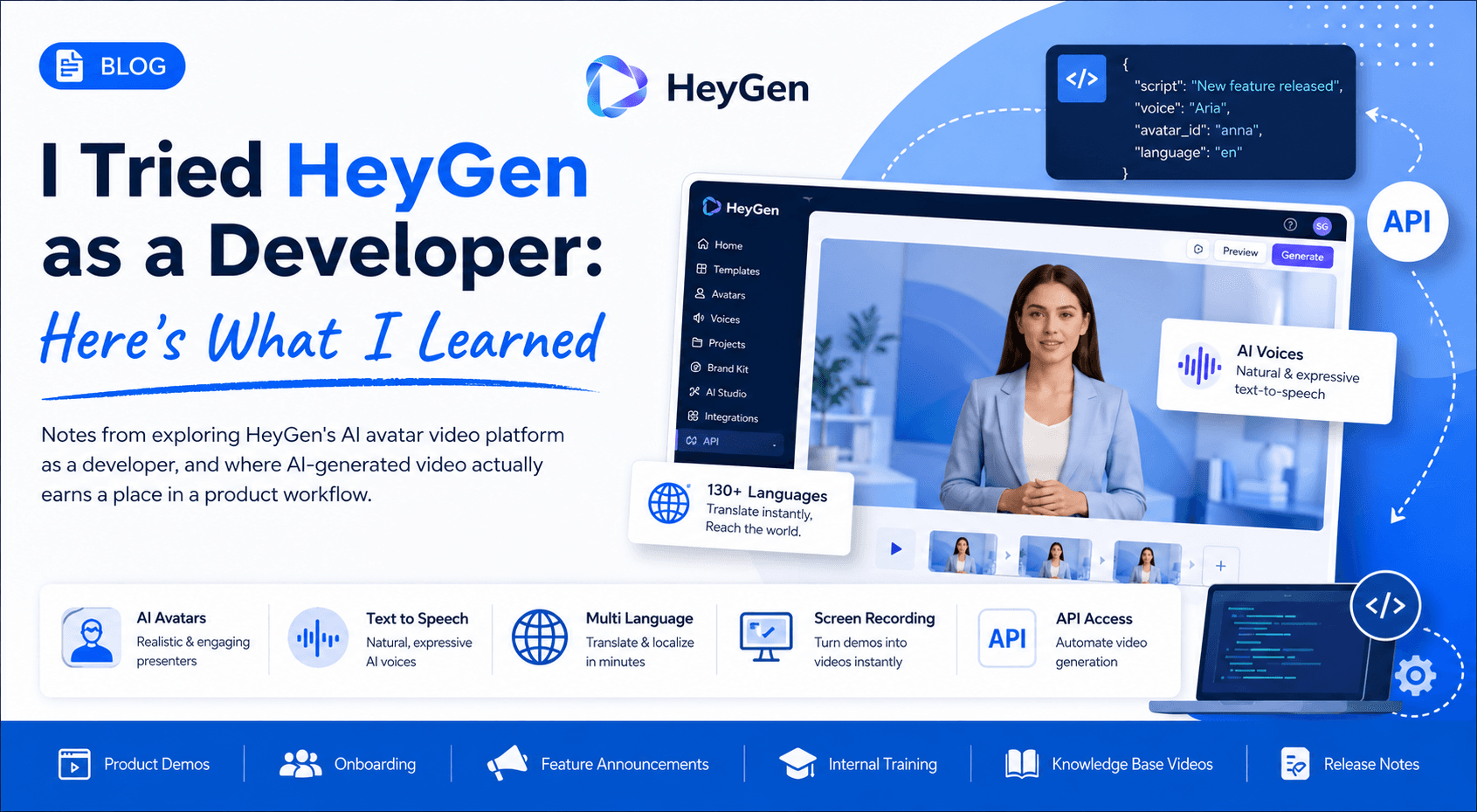
I Tried HeyGen as a Developer: Here's What I Learned
Notes from exploring HeyGen's AI avatar video platform as a developer, and where AI-generated video actually earns a place in a product workflow.
Artificial intelligence has reached a point where generating text is almost boring. Every week there's another chatbot, another coding assistant, or another image generator.
But video?
That still feels difficult.
Creating even a two-minute product demo usually means writing a script, recording yourself multiple times because you mess up a sentence, editing the video, adding captions, fixing audio, and then realizing you need to change one line because the product UI changed.
So when I came across HeyGen, I wanted to answer one simple question.
Can AI actually make professional videos that are practical enough for developers and product teams to use?
Instead of watching promotional videos, I spent time exploring the platform, understanding how it works, and thinking about where it could genuinely fit into a development workflow. Here's what I found.
What exactly is HeyGen?
At its core, HeyGen is an AI video generation platform. Instead of recording yourself, you write a script, choose an AI avatar, select a voice, and let the platform generate a talking-head style video.
That sounds simple, but the interesting part is everything built around it:
- AI avatars
- Natural text-to-speech voices
- Multiple languages
- Voice cloning
- Instant translations
- Video templates
- Screen recording integration
- API access for automation
Rather than replacing traditional video editing software, HeyGen removes the recording step altogether.
My first impression
The onboarding experience was surprisingly straightforward. Unlike many AI tools that overwhelm you with dozens of options immediately, HeyGen guides you through creating a video fairly quickly.
The interface is clean enough that someone without editing experience could probably create their first AI video in under 15 minutes. As a developer, I appreciated that the learning curve wasn't about understanding video editing, it was mostly about writing a good script. That shifts the focus from technical production to communication.
Thinking like a developer
While exploring the platform, I kept asking myself one question: where would I actually use this in software development?
Some practical ideas immediately came to mind.
Imagine releasing a new feature. Instead of writing a long documentation page, you generate a one-minute walkthrough where an AI presenter explains exactly what changed. Or suppose your support team repeatedly answers the same questions. Rather than scheduling someone to record tutorials every month, they could update the script and regenerate the video whenever the product changes.
The same applies to:
- Onboarding tutorials
- Feature announcements
- Internal training
- Product demos
- Release notes
- Knowledge base videos
The interesting part isn't replacing humans. It's reducing the effort required to keep educational content updated.
Under the hood
Although HeyGen feels like a simple video editor, several AI technologies work together behind the scenes. The workflow generally looks something like this:
- Input text
- AI converts text into natural speech
- Avatar lip-syncs with generated audio
- Facial expressions are animated
- Background, assets, and transitions are rendered
- Final video is exported
The synchronization between speech and facial movement is one of the most impressive aspects. It's not perfect, but it's convincing enough that viewers focus more on the message than the technology.
API possibilities
This was the feature that caught my attention as a developer. HeyGen provides APIs that allow applications to generate videos programmatically, which opens up interesting automation opportunities.
Imagine:
- Generating personalized welcome videos
- Creating customer onboarding videos automatically
- Producing multilingual announcements
- Generating course content dynamically
- Integrating AI videos into SaaS platforms
Instead of manually creating hundreds of videos, developers can automate the entire pipeline. This is where HeyGen becomes more than a content creation tool: it becomes infrastructure for personalized communication.
What I liked
Several things stood out during my exploration.
The UI is approachable
Everything feels organized. I didn't spend time figuring out where features were hidden. That sounds small, but good UX matters.
Voice quality has improved significantly
Modern AI voices sound much more natural than they did a couple of years ago. Some voices still have subtle robotic characteristics, but many are surprisingly conversational. Choosing the right voice makes a noticeable difference.
Templates save time
Instead of starting from scratch, you can pick layouts designed for product demos, announcements, tutorials, or marketing videos. That helps maintain consistency across teams.
Multiple language support
One feature I found genuinely useful is translation. Rather than recording the same video multiple times, HeyGen can generate localized versions with translated speech. For companies with international users, this can significantly reduce production effort.
Things that could be better
No tool is perfect. A few observations stood out.
Script quality matters
HeyGen can generate excellent videos, but only if your script is well written. If the text sounds awkward when read aloud, the AI will faithfully reproduce that awkwardness. Garbage in, garbage out still applies.
Avatar realism isn't flawless
The avatars are impressive, but occasionally facial expressions or gestures can feel slightly unnatural, especially during longer videos. They're good enough for tutorials and product demos, though less convincing for highly emotional presentations.
Creativity still depends on the user
HeyGen automates production, not storytelling. The platform won't transform a weak script into an engaging presentation. You still need to structure your content thoughtfully.
Who should use it?
After spending time with the platform, I don't think HeyGen is just for marketers. I think it's particularly valuable for:
- Developers creating product walkthroughs
- SaaS startups explaining features
- Customer support teams
- Technical documentation teams
- Educators
- HR onboarding
- Internal company training
- Product managers sharing release updates
If your work involves repeatedly explaining the same concepts, HeyGen can save a significant amount of time.
My biggest takeaway
Before trying HeyGen, I assumed AI video generators were mostly marketing tools. After exploring it, my perspective changed. I now see it as a communication tool.
Developers spend a surprising amount of time explaining software through documentation, demos, onboarding sessions, release notes, and tutorials. HeyGen doesn't eliminate that work. Instead, it reduces the friction between having an idea and turning it into something people can watch and understand.
Will it replace traditional video production? Probably not. But for everyday product communication, internal training, educational content, and software demonstrations, it's already practical enough to become part of a modern development workflow.
As AI continues improving, tools like HeyGen won't replace developers. They'll simply make it easier for us to communicate what we've built.
Building something in this space?
I take on select builds when the work is worth doing right.